![Logo - light.png]](https://success.territorium.com/hs-fs/hubfs/Logo%20-%20light.png?height=20&name=Logo%20-%20light.png)
• Your wallet and credentials remain the same.
• Nothing is lost or duplicated.
• You will have an additional way to sign in.
Keep in Mind...
• Your primary email remains your primary contact address.
• Future notifications will continue to be sent there unless changed.
• Your backup email is intended for account access and recovery
1. Log in to your LifeJourney account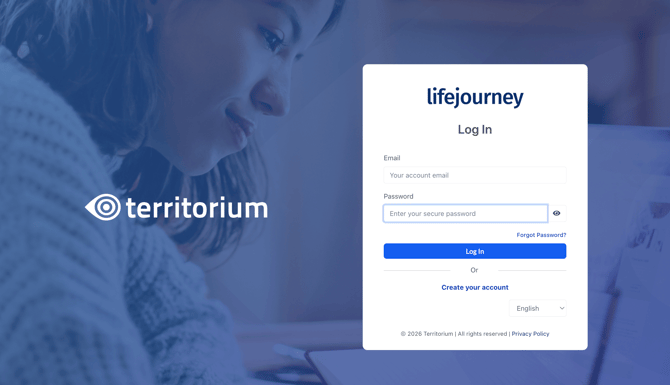
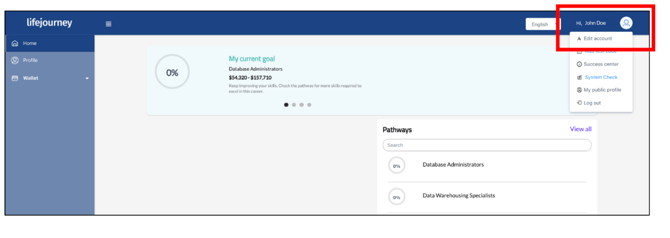
2. In the upper right hand corner user menu, select Edit account.
3. Enter your Secondary email. Once saved, you will receive an email from LifeJourney to verify your new email. Until you verify your email, you will see an email verification notice at the top of your LifeJourney screen to remind you.
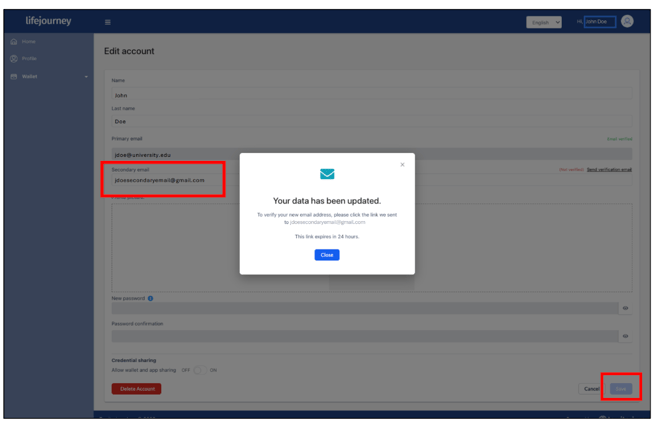
4. Click the verification link in your email from LifeJourney within 24 hours.
If you don't receive the email:
• Check your Spam/Junk folder
• Return to your account and click Send Verification Email
Once your backup email is verified, click “View account”
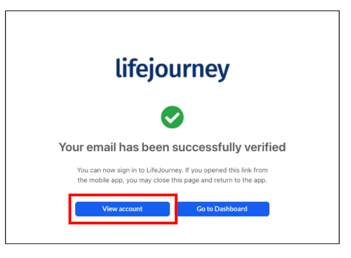
5. Once your backup email is verified, click “View account” to add and confirm a
password for your account if needed. Your backup email must have its own password so you can sign in even if your institution's Single Sign-On (SSO) or email service is unavailable.
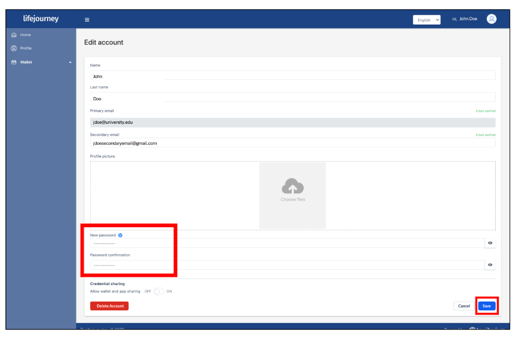
Once verified, you can use either email addresses as your username when you login to LifeJourney (the password remains the same).